
In 2026, the landscape hasn’t gotten easier for publishers. WordPress advertising plugins help navigate the storm with lower risks. There’s more mobile traffic, more rules from Google, and stricter user-experience expectations. And if you work with leading ad networks like Adsterra, Google AdSense any other alternative monetization source, you’ll want a system that makes it easy to insert ads and test different placements without tough coding.
Our team has tested several ad plugins to make this guide. See how they help you keep your monetized WordPress site manageable, stable, and profitable.
What are WordPress advertising plugins and why you need one
A WordPress advertising plugin is a piece of software that automates ad insertion, helps managing ad placements and ad groups, and maintains good page load speed. Many of such ad code inserters support ad targeting options.
Today, ad revenue depends on several things most site owners don’t think about until they see dropping CPMs. So, the main reasons you need a WordPress ad plugin are:
- Viewability. Advertising networks pay more when ads are seen. It’s not about ad impressions any more, it’s about views. Poor locations or slow loading reduce viewability and lowers CPM rates.
- Core Web Vitals. Google expects clean layouts with minimal layout shift. If your visitors experience delays or shifting blocks, your site ranks lower and earns less.
- Diverse ad formats. Many publishers mix multiple formats (Push, Pop, links), and it’s critical to rotate ads with precision and accuracy.
Good plugins won’t fix everything, but they take the pressure off by keeping things consistent. They give you structure and control, allowing to track ad impressions and evaluate monetization efforts. A prep work, nothing more. True opportunities arise only when you install advertising scripts and start earning from views, clicks, and conversions.
Key factors to consider when choosing a WordPress advertising plugin
If a WordPress ad manager tool:
- Can’t control placement precisely
- Slows your site
- Provides one or few ad setup options
…this will cap your ad revenue sooner than you expect. Many WordPress themes do not have dedicated spots to display ads, making ad management plugins essential. Here’s what we always recommend our partners to check basic parameters before they decide to install any advertising plugin for WordPress websites.
Top 5 parameters for choosing a WordPress advertising plugin
Aside of price, these parameters are common to check when choosing the best WordPress plugin. Not all of them are critical, but you can use this set as a starting point.
| Parameter | Meaning for Ad Revenue | Valuable features | Common Pitfalls |
|---|---|---|---|
| Ad Placement Management & Viewability | Ads only earn when users actually see them. Poor ad positioning kills CPM rates and CTR | In-content ad types, paragraph-based pasting, ad rotation, sticky units, ad combinations, options to optimize ad placements, mobile slots | Header/footer only ad position, no in-content logic, no mobile control, no compatibility with theme files |
| Targeting & Conditional Logic | Showing relevant ads improves performance.Ad scheduling and rotation allow for time-sensitive campaigns and help combat ‘ad fatigue’ by varying ads shown. | Device targeting, page/category rules, logged-in vs guest logic, exclusions for low-value assets, rules for ad blockers. | Ads shown site-wide with no filters, no exclusions, weak mobile rules |
| Performance & Page Speed Impact | Slow pages lose rankings, readers, high-paying advertisers, and earnings. | Lightweight code and quick loading, cache compatibility, conditional script loading, no forced global JS, | Heavy scripts, CLS issues, conflicts with caching plugins |
| Ad Network & Format Compatibility | You require flexibility as monetization evolves and business grows | Supports any HTML/JS code, verious ad networks, fallbacks, multiple ads (display, Push, and Popunder formats) | Locked to one network or even format, limited code support, rigid templates |
| Scalability & Maintenance | What works at 10k visits may fail at 500k | Active updates, Gutenberg support, export/import, clear upgrade path, automatic ad insertion (optional) | Abandoned WordPress plugins, outdated or documentation, setup problems, weak compatibility with mobile devices |
Online entrepreneurs also appreciate plugins that offer detailed user analytics data for better performance (e.g., browser data, geos, devices). Those whose passive income is based on advertising, look for anti-adblock and WordPress SEO functionality. Ad-blocker detection helps recover potential lost revenue by showing alternative content to visitors with ad blockers.
Comprehensive comparison of top WordPress advertising plugins
Let’s now compare top ad management plugins, using these criteria: use cases, pros, cons, and prcing. Next, we’ll provide a deeper review for each of the plugins.
| Name | Purpose | Pros | Cons | Costs / Price |
|---|---|---|---|---|
| WP Advanced Ads | Versatile ad manager for WordPress websites needing full Google AdSense or any platform compatibility. | Unlimited ad number and rotation. Targeting settings. Auto insert feature. | Many core actions require extra payment. Settings can be complex for beginners. Potential conflicts with ad blockers | Freemium version; Pro from ~€59/yearly (1 site) |
| Ad Inserter | Developer-oriented ad management tool that deals with multiple scripts. | Flexible insertion rules. Advanced editor. Ad rotation (server/client-side) and device/target filters. | Advanced functions only within Pro. No ad generation or templates. | Free; Pro from ~$22/yearly for 2 sites |
| AdRotate | Simple ads manager: banner rotation with a neat UI (especially image ads and text links). | Intuitive dashboard. Unlimited advertising space and ad groups. Basic statistics. Can hide ads from logged-in users. | Many premium features are Pro-only. Lacks support for raw ad code or rich media. Steeper learning curve. | Free; Pro licenses: €49 (1 site), €79 (2 sites), €199 (20 sites) |
| WPCode | General script/snippet manager | 100+ ready-made snippets. AI Snippet Generator. Smart conditional loading for any scripts. You can create many ad locations. Safe error handling prevents site downfalls. | Advanced functions are in the Pro version. No ad rotation or impressions tracking. Inserting mid-content ads requires manual work. | Free; Pro from $49/yearly (1 site) |
| Ads for WP | Easy AdSense and display ads plugin (including AMP support). | Unlimited ad types and many new ad networks support. Simple placement (shortcode/widget) and basic analytics (revenue reports). GDPR and ads.txt management | Some features (click fraud protection, lazy load) are premium-only. Limited targeting settings. Minor reporting. | Free plugin; premium versions offered (e.g., Personal plan ~$29/yearly for 1 site) |
| Banner Manager (Green Box) | Direct advertisement sales | Sell banner ad space directly to advertisers. Unlimited campaigns/zones, Easy campaign creation, and shortcode/HTML embedding. Basic tracking of ad clicks. | No free version. It’s focused only on banner images and HTML (no rich media or third-party ad networks). No advanced targeting and frequency capping. No native analytics beyond counts. | One-time ~$21 purchase includes limited support. |
| Header Footer Code Manager | Snippet injector for header/footer/content (ads, analytics). | Very simple interface to add any snippets site-wide or per-page. Placing scripts in stand-alone posts, categories, devices. Free & open-source (with Pro upgrade available). | The free plugin has limited import/export or snippet cloning. No built-in ad rotation or tracking (only injection). Requires manual placement. | Free; Premium version from $35/year (one site) ($69 for 5 sites, $139 for unlimited) |
| AdSanity | Lightweight banner ad rotator with statistics (plus an add-on ecosystem). | Clean interface for rotating banners or affiliate ads. Graphs and charts to display ad impressions and clicks). Responsive ads supported. Core add-ons are included in license. | No free version; Limited scheduling. Many features require paid add-ons. | $89/yearly (Basic – one site), $179/yearly (Paid version – unlimited), or $429 for 3-year plan |
| WP-Insert (check for updates!) | AdSense-optimized ad management and script inserter. | Rich feature list. A/B testing and geo-targeting are free of charge. Ads.txt support and device targeting (tablet/mobile)- Analytics, pixels, CSS. | Last updated on Feb 2023 (may lack latest WP features). Incompatibility with some themes reported; learning curve to use all features. | Free (no charge for users; donation-supported) |
| AdPlugg | Connect WordPress to the AdPlugg.com ad server (external ad management). | No own hosting required; you use AdPlugg’s server. Drag-and-drop block/widget to place ads/zones anywhere. It supports FB Instant Articles & AMP. Rotation, scheduling, tracking, and zones. | You have to sign up to AdPlugg. (external dependency). Usage-based pricing. Only image ads on Free plan. Limited WP controls – most targeting/stats are in the AdPlugg dashboard. | Free plugin; AdPlugg service has free and paid tiers (e.g., ~$10/month plan) |
| WP Bannerize Pro | Simple banner & campaign manager with statistics. | Banners are placed as CPTs (custom post types) with a drag-and-drop ordering flow. Date scheduling. Built-in analytics (CTR, country tracking, cleanup) | Banner-only focus (no other ad code types). Placement is manual. Some limitations (e.g., IFRAME ads not counted in stats). | Free (no paid tier) |
| Ad Commander | Professional WordPress advertising manager plugin for those who looks for a strong basic solution. | Multiple ad scripts. Local, GA4, or third-party analytics. Direct integration with the AdSense account. Lazy loading ads. Filters for bot traffic. | Unapproachable support (free version). No real-time plan updates. Some users notice issues with ad loading. Core functionality is available in the Pro version. | No fee version; $39 Pro (1 site); $98 (5 sites). |
In-depth reviews of the best WordPress advertising plugins
This chapter will lead you further than rough comparison. We’ll observe ad management plugins for WordPress websites to help you choose the best-matching.
Advanced Ads
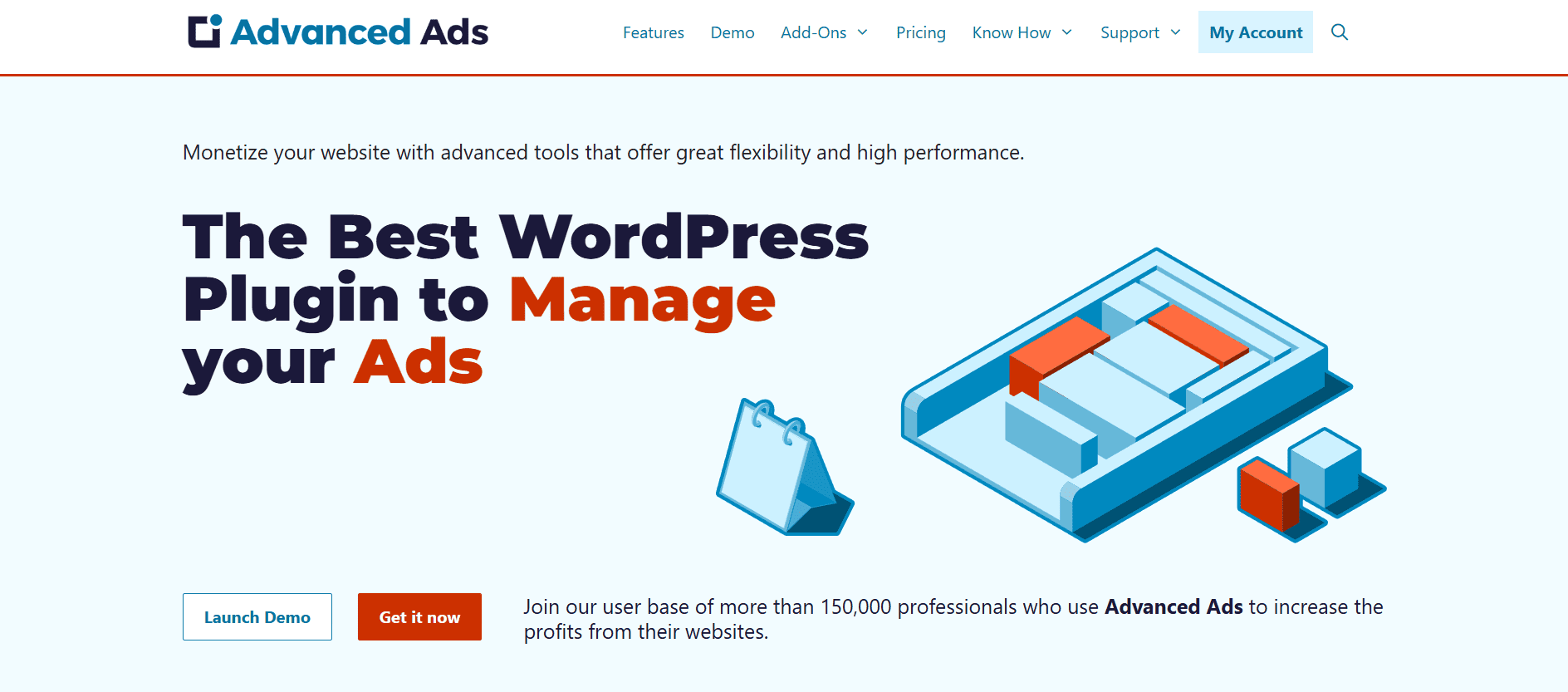
Advanced Ads is a robust ad management plugin for WordPress designed to handle all advertisements: Adsterra, Google, and custom HTML/JavaScript/PHP scripts. It bills itself as a “comprehensive ad management tool” that fits novices and pros alike.
Powerful features
- Unlimited ad blocks & rotation: Create multiple ad placements in minutes. Apply the scheduling feature by day/time, impressions, to display them on the same spot in turns.
- Multiple advertisements: All leading CPM networks – Adsterra, Google AdSense, Amazon, BuySellAds, Infolinks – as well as custom affiliate or affiliate-rich ads. You can even drop any custom scripts and manage your ads with ease.
- Flexibility: you can auto-inject scripts before/after content, between article paragraphs, after images or even between comments. In addition, it’s a great plugin to handle many ads in grids.
- Smart targeting: Display ads by category, tag, post type, user role, device, or custom user conditions. The free version already has many condition rules, and the Pro version adds advanced filters.
- Analytics & compliance: Built-in tracking of impressions and clicks (with Google Analytics integration), and it’s fully compliant with Google AdSense policies. The plugin is also compatible with the majority of WordPress theme files.
Unique features compared to the rivals
Advanced Ads stands out for its polished UI and robust features. It explicitly integrates every major display ad provider and accepts any HTML/JS/PHP snippets. Google officially recommends it and has had top-rated support since 2009. Advanced Ads has smart workflows and reporting, plus dedicated extensions for popups, sticky ads, GDPR consent, adblock detection, and more. In short, it feels like an all-in-one advertising toolkit rather than a niche inserter.
Limitations
Many advanced features require paid add-ons or an All-Access license. For example, detailed display conditions, automatic adblock detection, click fraud protection, A/B testing, or advanced tracking are in the premium packs. There can be a learning curve for embracing all of the assets. Reviews also report occasional conflicts with certain ad blockers. Overall, if you stick to the free version you may find the display rules limited.
Ad Inserter
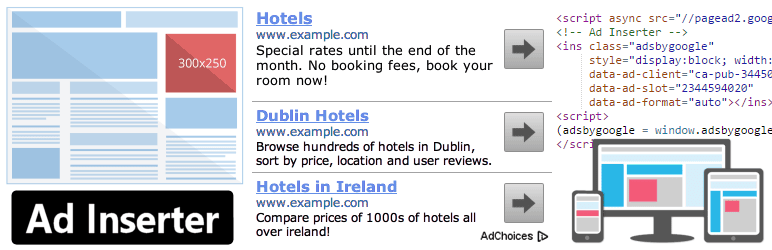
Ad Inserter is a highly-flexible script inserter for any kind of snippet: CPM networks, tracking scripts, CSS, HTML, or PHP. It shines when you look for granular control over where to display advertisements. You define up to 16 “places” and then choose multiple automatic insertion rules for each of them. It’s a go-to if you want to inject scripts exactly between certain paragraphs, images, or page elements, without editing theme files.
Key functions
- Ad Network Integration: Predefined support for all major solutions: AdSense, Google Ad Manager (DFP), Media.net, Infolinks, etc. Custom scripts are welcome, too!
- Flexible Insertion Points: before or after content, paragraphs, images, headings, comments – even into the <head> or <footer> section of your site.
- Rich Editor: The interface includes syntax highlighting and a code editor for each block. You can preview snippets and even use an on-site element selector (visual DOM inspector).
- Rotation and Scheduling: It can do ad rotation either server-side or client-side, and also timed rotation (e.g., swap offers every X seconds).
- Advanced Rules: Device targeting, user role filters, frequency capping (max ad impressions per session), sticky ads, ad block detection (show a fallback message), and even cookies consent gating are served within the free version.
- External Code Support: Beyond commercials, you can use it for tracking pixels or custom code.
Unique features compared to the rivals
The biggest strength is extreme flexibility and a granular approach. For example, you can place ads between specific HTML elements or automatically after a certain number of paragraphs with smart midpoint detection. More unique resources: a code preview/formatter, ability to disable ads for logged-in users or hide them via a CSS class, and even a GDPR/consent integration tool. Leading monetization platforms officially recommend the plugin; it handles all networks and custom codes.
Limitations
The interface has dozens of toggles and buttons, and mistakes can accidentally break placement. Luckily it has safeguards 😉 Also, while the free version is very capable, some advanced add-ons require a Pro plan. The pro version (a separate purchase) adds things like geotargeting, detailed analytics, custom post-type filters, the WooCommerce cart support, and more.
AdRotate
AdRotate is a veteran WordPress banner advertising plugin to serve rotating ads and track stats. It dates back to 2008 and has a loyal following. In practice, AdRotate lets you create unlimited ads/banners and place them via shortcodes, widgets, or blocks. It’s friendly to beginners (with an intuitive dashboard) but also serves pro-level features like device targeting, geofiltering, and integrated analytics when upgraded. AdRotate is for those who love straightforward solutions powered by basic scheduling and stats.
Key functions
- Major ad types: Any monetization tools from Adsterra and AdSense/Ad Manager, to Taboola and Media.net. It also adapts to custom affiliate codes. The plugin handles image uploads and even banner creation on the fly.
- Unlimited & Grouped Ads: You can put ads into multiple campaigns (groups) and display groups on different pages. Clicks and impressions are tracked per ad or group by default.
- Easy Usage: AdRotate adds a Gutenberg block and classic widget for each ad/group, and you can also output ads via the adrotate() PHP function. It auto-rotates ads in a group each page load or on a timer. You can schedule ads by date/time or limit impressions.
- Reporting: Built-in statistics for each ad and group, including total clicks, CTR, and impressions. The dashboard offers an overview of top-performing ads.
- Classic UI: Designed to feel like a core part of the WordPress admin (menus, notices, etc.). It even provides admin notifications.
Unique features compared to the rivals
AdRotate’s niche is being user-friendly yet powerful for basic banner rotation. It was built from the ground up for ads, so it includes things like a quick “drag-and-drop” post for banners and group blocks that some other plugins lack. Its UI is highly intuitive – newcomers often find it self-explanatory. Another unique point: AdRotate includes features like hiding ads from logged-in users or on small devices (via Pro filters).
Limitations
Things like mobile/device hiding, geotargeting (country-specific), advanced scheduling by time of day, exporting reports, and adblock detection are Pro-only. Another limitation: it only does image/text ads in campaigns (no raw HTML/JavaScript code injection beyond that scope). Also, while the core plugin is polished, some users find the block editor blocks a bit limited (for full styling, you might revert to classic widgets).
WPCode
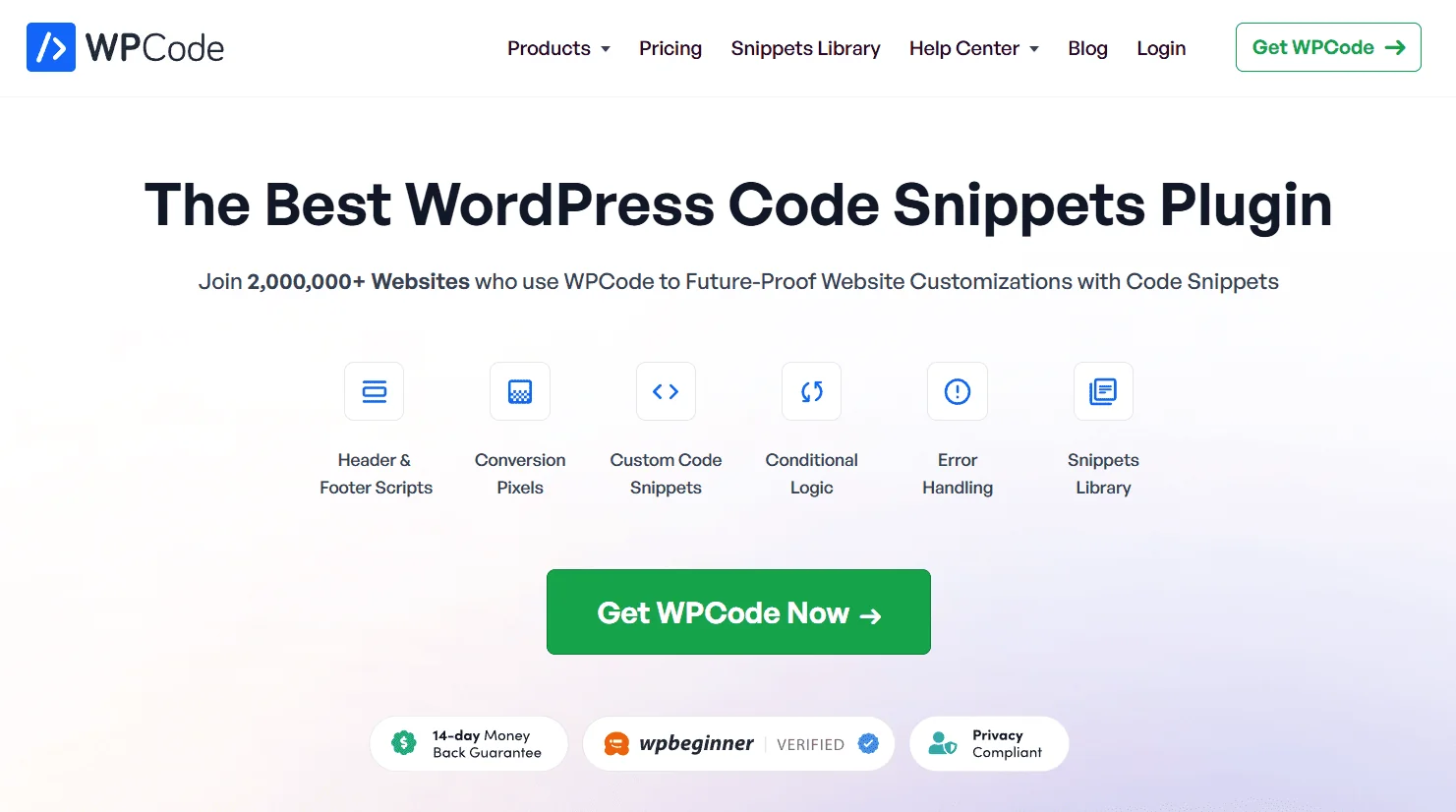
WPCode (formerly: Insert Headers and Footers or Code Snippets) is a general-purpose snippet manager, not just an ad plugin. It lets you add any code without editing theme files. Many site owners use WPCode to inject advertisements (Adsterra, Monetag, affiliate scripts) into headers, footers or content areas. It’s perfect for activating snippets in a few seconds. WPCode shines by providing a big library of 100+ ready-made snippets for common tasks, so it’s useful even to non-coders. In short, WPCode is best for those who want to add tracking scripts, ad codes or custom code easily and safely.
Key functions
- Snippet Library: 100+ pre-configured snippets (like Google Analytics, Facebook Pixel, Amazon affiliate tools, etc.) for fast insertion. You can also create unlimited custom snippets in PHP, JavaScript, CSS, or HTML.
- Conditional Logic: Run snippets only under certain conditions – e.g., only on posts, pages, specific categories, or for certain user roles. This smart filtering keeps code from loading site-wide unless needed.
- Auto-Insert Locations: Choose exactly where a snippet loads: header, footer, before/after content, or any hook in your theme. (For ads, this means you can put AdSense code in the header or drop an ad code right after post content.)
- Global Header & Footer: Dedicated areas to paste site-wide scripts (like GA or Meta tags) without editing files.
- Safe Error Handling: If a snippet causes an error, WPCode can disable it automatically so your site doesn’t crash. (Important for beginners.)
- Additional Tools: Code generators (form-based setup), dynamic shortcode tokens for reusing content, and even cloud saving of your snippet library.
WPCode unique features compared to the rivals
WPCode is essentially a universal code injection tool: it manages marketing and analytics pixels just as well as advertisements. If you’re not comfortable writing code, you can use the library’s “wizard” snippets instead. Another advantage is its focus on reliability: it has strong safeguards against bad code (sandboxing and error catching), whereas lesser snippet plugins can break your site. WPCode is also popular for replacing numerous niche plugins (email signups, ads, analytics) with one.
WPCode limitations
The free version covers the basics well, but many premium features are locked behind WPCode Pro subscriptions. These include multi-site use, team access, priority support, an AI snippet generator, and built-in conversion pixel management. WPCode is a snippet manager (not an ad-specific tool), so it doesn’t provide ad rotation; it simply injects code. Finally, though WPCode supports many insertion points, placing custom ads in the middle of content might require extra shortcodes or theme edits.
Ads for WP (Easy Google Adsense and Banner Ads Manager)
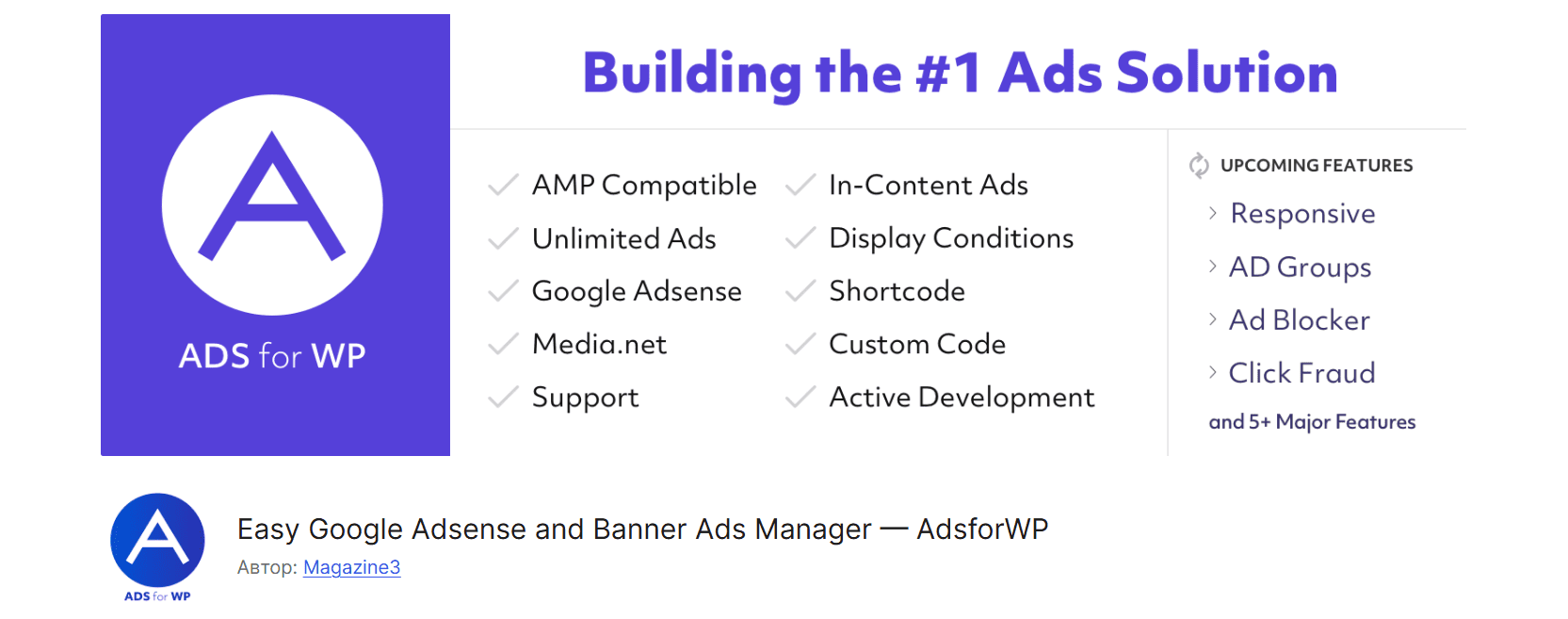
Ads for WP is a relatively new advertisement plugin for WordPress for serving Google AdSense and banner ads. It acts like a hybrid between an ad inserter and analytics tool: you insert ads or ad groups (Google Auto Ads, Revcontent, Taboola, etc.) via a block/widget/shortcode, and it can also show simple performance reports. Ads for WP particularly targets those who want a quick AdSense integration, plus support for many native ad networks, all from one free plugin.
Key functions
- Unlimited Ads & Groups: Insert unlimited ads via shortcodes or custom blockы. You can create Ad Groups (campaigns) especially for AMP pages.
- Wide Network Support: Besides native support for Google AdSense, it lets you paste any custom HTML ad code. New integrations have been added for Revcontent, Outbrain, Taboola, Engageya, Mediavine, Ezoic, MGID, etc. It even resolves the “migrate from Advanced Ads” question.
- Placement Options: Choose ad positions between post content (before, after, or amid content). It also adds a widget/block you can drag into any widget area.
- Reports & Analytics: Built-in analytics data show device/AMP vs. non-AMP traffic and revenue breakdowns. (You can view simple graphs of impressions and clicks over time, including mobile/desktop comparisons.)
- GDPR and ads.txt: The plugin has GDPR compliance options and can manage an ads.txt file for you.
Unique features compared to the rivals
Ads for WP is actively evolving, adding new providers. It’s unique in also offering easy AMP integration. Another advantage is the one-click migration from Advanced Ads (suggesting it covers most of what Advanced Ads Lite does). Also, built-in reports are uncommon in free ad plugins. In short, compared to WPCode or Ad Inserter, Ads for WP is tailor-made for earning: it anticipates Google’s ad formats and other native ad widgets directly.
Limitations
Several capabilities are labeled [Premium], meaning they require a paid add-on or license on Magazine3’s site. These include Click Fraud Protection and Lazy Loading ads. Second, it doesn’t let you precisely schedule ads by time or limit ads per visitor, and it lacks advanced targeting filters (country, referrer, etc.). One user noted it may not work on all themes (those that restrict dynamic scripts).
Banner Manager (Green Box)
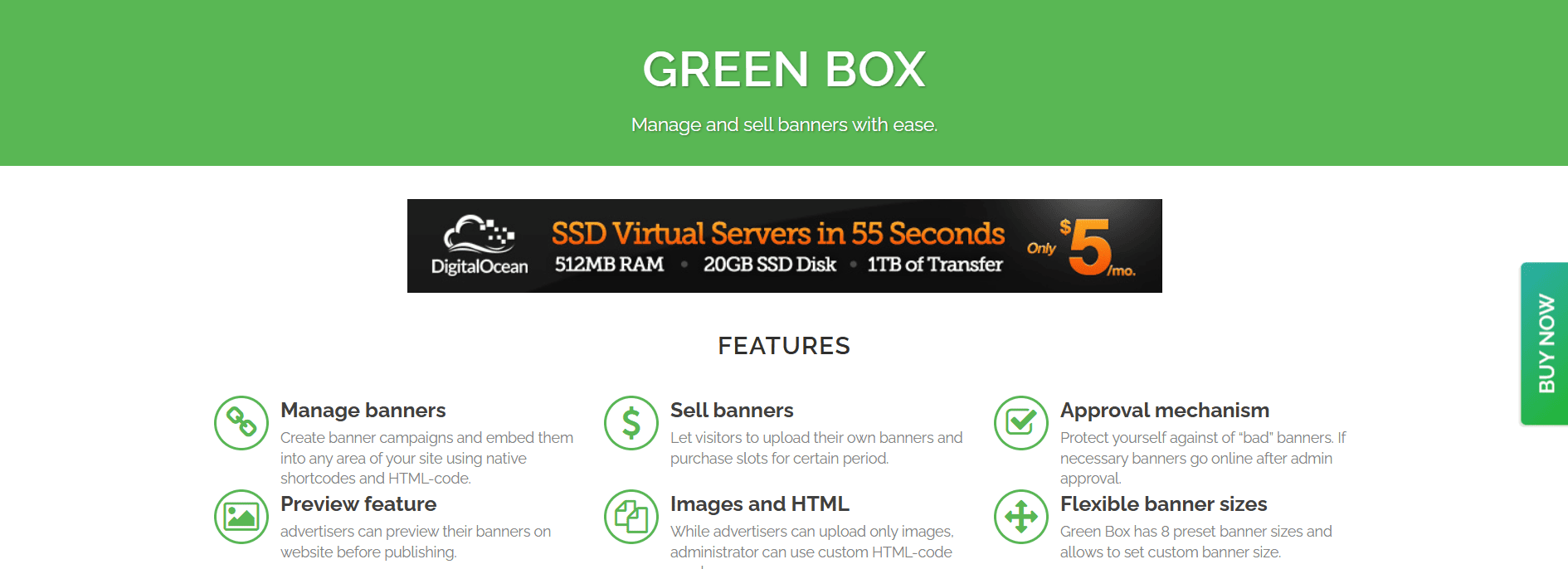
Green Box is a WordPress plugin to sell and display banner ads directly on your site. Site owners can define banner “campaigns” (zones) with set prices, and allow advertisers to upload creatives and pay via Stripe or PayPal. It’s not just for inserting third-party ads – it’s for selling your own ad space. Think of it like a self-serve ad network: advertisers see available spots on your site, submit their banners and payment, and the plugin handles the delivery. In summary: Green Box is a turnkey solution if you want to manage banner campaigns and direct ad sales yourself, without relying on Google or other networks.
Key functions
- Create Campaigns/Zones: You set up as many banner campaigns (ad zones) as you like, each representing a spot or size on your site. For example, a “Leaderboard” campaign or “Sidebar 300×250” campaign.
- Sell Directly to Advertisers: The plugin provides a front-end where visitors can upload banner images (or code) for a campaign and pay immediately via PayPal or Stripe. This automates the ad sales process.
- No Commission Fees: Since you’re dealing directly with advertisers, there’s no middleman commission. You keep 100% of the ad revenue except for PayPal/Stripe fees.
- Simple Display Controls: Banners can be managed from the WP admin; each banner has a start/end date, and you can set them to rotate within the campaign. The plugin handles embedding via easy shortcodes or by pasting HTML code.
- Basic Stats: You get basic tracking of impressions and clicks for each banner (though advanced analytics or targeting aren’t a focus here)
Unique features compared to the rivals
Green Box’s niche is self-serve ad sales. Unlike most ad plugins, which display network or self-hosted ads, this one actually lets you sell those spaces and collect payment in one package. The visual style is also straightforward: campaign-based and a user-friendly front-end for advertisers to upload banners. For a simple banner marketplace, it’s very focused – you won’t find many other plugins doing exactly this.
Limitations
If you need complex targeting, ad rotation beyond basic campaigns, or integration with ad networks (AdSense, etc.), prefer another WordPress advertising widget. This one is strictly for banner image (or HTML) ads that you sell directly. Also, it’s a premium CodeCanyon plugin with a one-time license (no free version), so it’s less widely adopted. The UX is basic – for example, there’s no built-in ad block detection or dynamic A/B testing beyond “rotate within campaign.”
Header Footer Code Manager (HFCM)
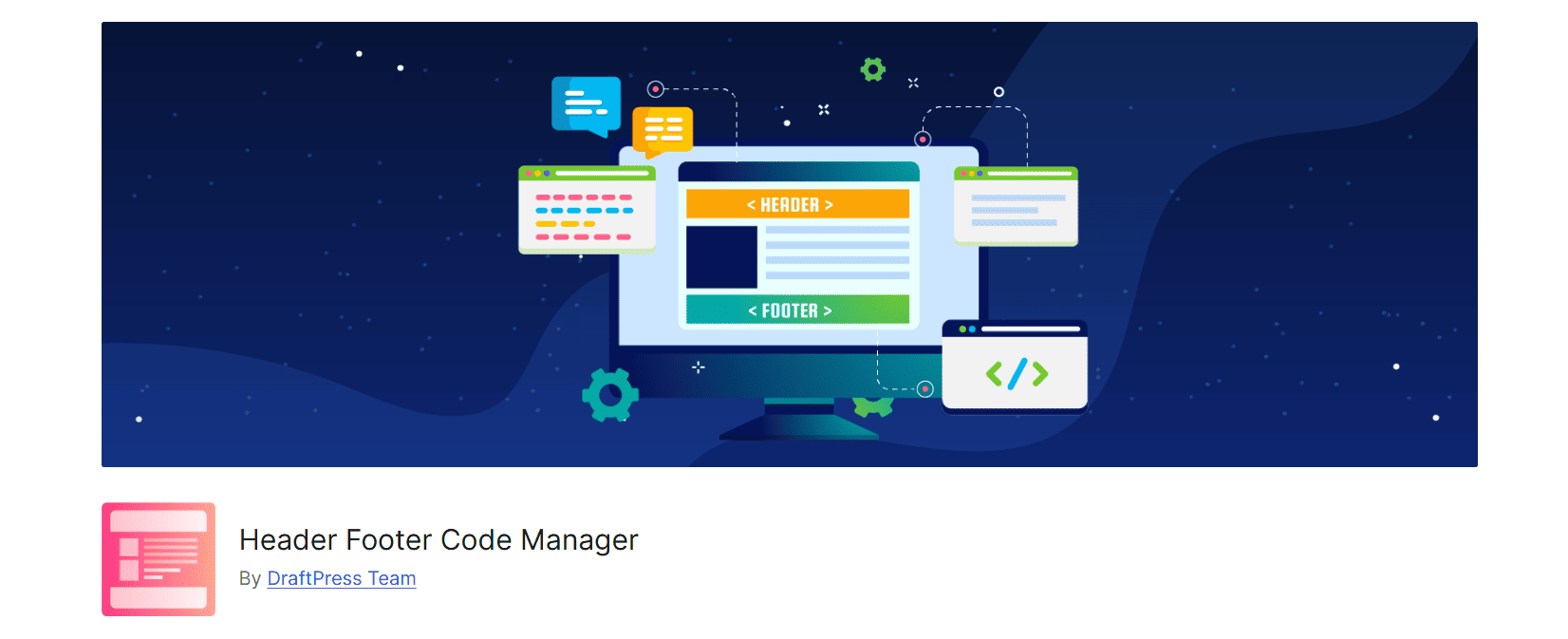
Header Footer Code Manager (HFCM) is a simple but powerful snippet injector plugin for WordPress. It’s designed to safely add code snippets site-wide or on selected pages: place Google Analytics, AdSense code, custom CSS, or any script anywhere. It’s less about ad management and more about straightforward code placement. The aim is ease and safety: HFCM provides an interface where you can add labeled “snippets” and choose exactly where and on which pages or devices they load.
Key features
- Unlimited Snippets: Add any number of code snippets (HTML, CSS, JS, etc.) and label them. Each snippet can be edited in the plugin’s own editor.
- Placement Control: For each snippet, choose exactly where it appears: in the <head>, before content, after content, or in the footer. You can also target snippets to “all posts/pages,” or limit to specific posts, pages, categories, tags, or custom post types.
- Device and User Filters: You can load snippets only for Desktop or Mobile visitors. (For example, disable ads on mobile to speed up loading.) In the Pro version, you even get controls for logged-in vs guest users.
- Block Editor Support: Provides a simple block for manually placing snippets anywhere in Gutenberg. And there’s a sidebar meta-box to exclude/enable snippets per post.
- Logging and Labeling: Each snippet has a title, description, and record of who created/edited it. The plugin logs this info for auditing.
- Pre-configured Services: HFCM lists many common services (Google Analytics, Tag Manager, Facebook Pixel, etc.) to remind you it “accepts ANY code.”
Unique features compared to the rivals
What makes HFCM stand out is its balance of simplicity and power. Unlike bulkier ad plugins, HFCM is laser-focused: it won’t rotate ads or track clicks, but it will place any snippet exactly where you want, with minimal fuss. Its interface is very clean: you see exactly which code runs where. HFCM offers a variety of conditions (devices, user roles) and snippet organization (labels, import/export, cloning in Pro). It’s also free (for the core) and has high ratings, with many reviewers praising its ease of use and recommending it.
Limitations
The free HFCM plugin handles the basics, but lacks some advanced conveniences in its Pro upgrade. For example, free users must import/export snippets manually, and there’s no priority ordering or snippet cloning (all Pro). It also doesn’t track anything, so again it’s purely an insertion tool. Another minor limitation: initial setup can be confusing if you’re not sure where to put code (though the docs are helpful with all questions answered). Finally, HFCM requires the plugin to be active on each multisite sub-site if you use WordPress Multisite.
AdSanity

AdSanity is an advertising WordPress plugin for users who love lightweight yet reliable banner management. It’s especially aimed at simplicity: there are only two display modes (“infinite” or “date-based” rotations) and a modest core feature set, with the idea that you can add more via official add-ons if needed. It also tracks impressions and clicks per ad in a clean graphical interface. AdSanity is often recommended for blogs and affiliate sites that need a straightforward way to rotate ads and view basic stats, without unnecessary bulk.
Key features
- Unlimited Ads & Groups: Create as many ads or banners as you want. You can also group ads (campaigns) and rotate banners within each group.
- Publishing Controls: Either allow an ad to run indefinitely, or set a custom start/end date for each ad (useful for time-limited promotions).
- Statistics: AdSanity provides per-ad graphical stats (views and clicks) right in the dashboard. You can filter by date range to see how an ad is performing.
- Responsive & HTML5 Ready: The ads you insert can be any image or HTML5 banner, which will be responsive to modern devices.
- Display Options: Ads can be placed via Gutenberg blocks, text widget, PHP assets, or shortcodes wherever you need them.
- Developer Friendly: It includes WordPress hooks for custom development, so advanced users can extend functionality.
Unique features compared to the rivals
AdSanity’s niche is its balance of simplicity and extensibility. It’s not as complicated as AdRotate or Advanced Ads, so beginners find it approachable. You can buy plugins for Geo-Targeting, Alternating Ad Groups, or PDF reporting.
Uniquely, AdSanity’s base license includes all “Basic Add-ons” plus support, so you can grow into it. Also, the developer team emphasizes fast, friendly support and reliable updates (97% satisfaction). Multiple reviews and user feedback indicate the quality of an ad management plugin. AdSanity has endorsements from the WordPress community: even Syed Balkhi, the WPbeginner founder, advocated for it.
Limitations
AdSanity is paid-only (no free version exists). Even with a paid plan, many features still require separate add-ons: for example, geotargeting or A/B testing come via plugins you must install. Since it is lightweight, it doesn’t have additional features like advanced targeting or lazy-loading out of the box. Some users have also mentioned in reviews that the analytics are basic compared to enterprise solutions.
WP-Insert
WP-Insert is marketed as an “ultimate AdSense/Ad-Management plugin,” optimized especially for Google ads. It combines ad placements with other site snippets. You can insert ads in many positions without touching code and handle various “head/footer insertions” in one place. In practical terms, it’s a feature-rich tool that supports everything from simple text ads to advanced A/B rotation and geo-targeting.
Key features
- Unlimited Ad Blocks: Add unlimited ads and positions. You can insert ads above, below, left or right of content, or even split content into two columns. It can also count paragraphs and insert ads at a midpoint or after X paragraphs. The plugin also optimizes your placement for Google’s compliance.
- Device and Geo Targeting: Built-in options to hide ads on devices: you can exclude large-desktop, medium-desktop, tablets or mobiles for any ad block. Country-based ad targeting with caching is also provided.
- Built-In A/B Testing: An A/B testing feature that rotates ads or networks and lets you comply with policies while running multiple networks simultaneously.
- Ad Rotation: You can rotate ads automatically, so only one network’s ad shows at a time. This also works to avoid showing conflicting scripts.
- ads.txt Support: Has features to manage the ads.txt file, including daily monitoring for missing entries.
- Beyond Ads: Also allows inserting analytics and tracking codes (Analytics, Facebook Pixel, custom CSS) through the same interface. It even provides templates for privacy/legal pages.
Unique features compared to the rivals
You can expect much more than typical free ad plugins offer, for instance, Geotargeting and A/B testing. The plugin also doubles as a header/footer script manager, meaning you get one dashboard for all site scripts. Users have noted it “does a lot more than ad insertion”. Another unique point is that it’s been around for years (last major version 2.5.x,) and has a very detailed feature list – essentially covering nearly every money-making scenario (including supporting secondary shortcodes from other plugins).
Limitations
Though well-packed, the plugin shows its age in places. The last update was in early 2023. The settings screen is extremely long and can be overwhelming. One review mentioned it “doesn’t work on most themes” but that’s rather a single opinion. Also, the plugin may prioritize Google over ease of inserting other networks.
AdPlugg
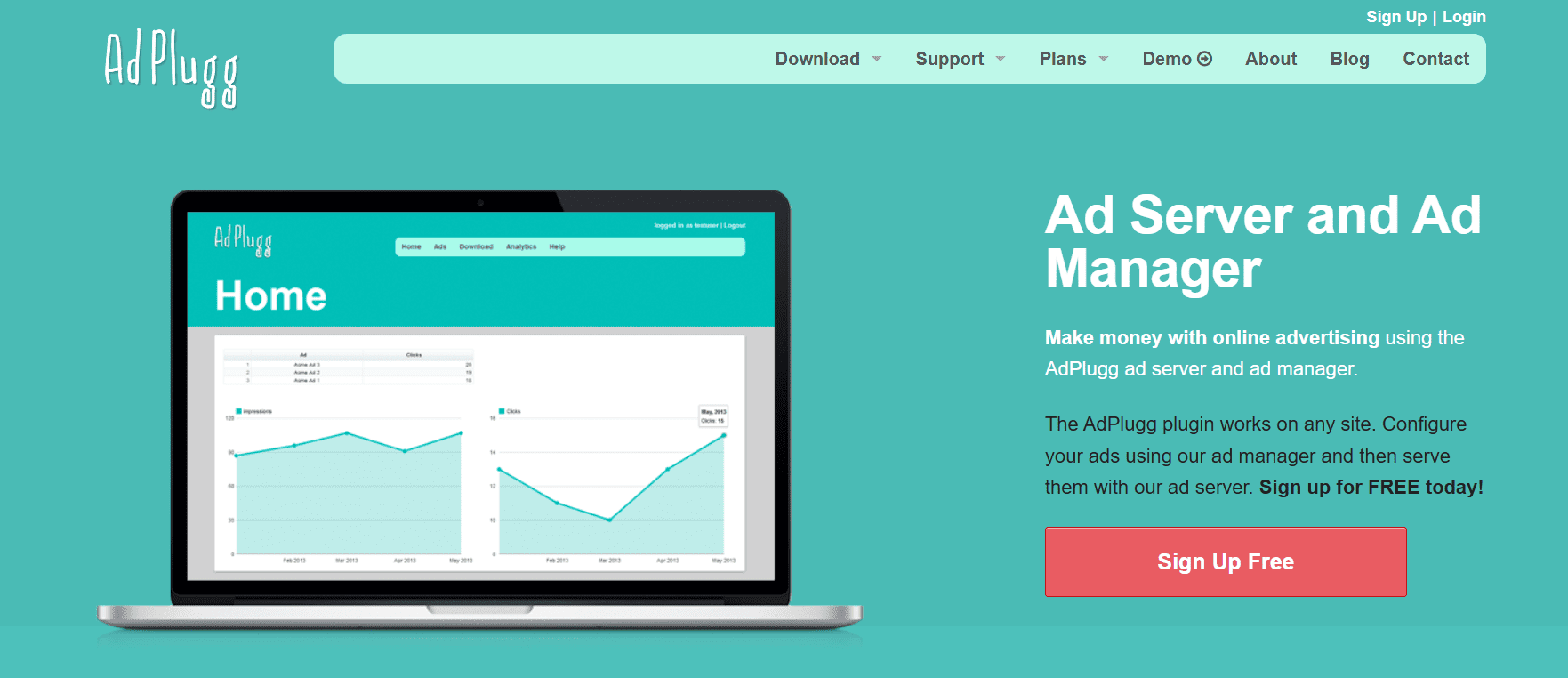
AdPlugg is a no-charge WordPress plugin that hooks into AdPlugg’s ad servers. It allows bloggers and site owners to place and rotate ads managed on a cloud platform. Use it if you want a hosted solution for rotating ads: instead of managing ads in the WP dashboard, you do it on AdPlugg’s side.
Key features
- Easy Ad Placement: Once connected to AdPlugg (you sign up for an access code), you can use the block or widget to insert ads anywhere. You don’t paste raw HTML – the plugin pulls the ads from AdPlugg.com via its API.
- Zones & Placements: Different sections of your site (sidebar, header, footer) can show different ads.
- AMP and FacebookIA: The plugin integrates with Accelerated Mobile Pages and Facebook Instant Articles, so ads can appear in those formats too.
- AdRotating Service: Like other best WordPress advertising plugins, AdPlugg offers features like ad rotation and scheduling.
- GDPR Compliance: The system supports GDPR-compatibility so it can handle cookie consent per EU rules.
- Scalability: Handling lots of ads. Even the free plan allows decent traffic, and paid plans are usage-based (e.g., a $10/month plan for high-demand sites).
Unique features compared to the rivals
AdPlugg is essentially a free ad server for WordPress. Most other plugins either run ads directly or use Google/Amazon’s ad network. AdPlugg stands out by offloading the ad management to an external service. This means you get a lot of server-side power (e.g. automated fallback ads, unlimited zones) without taxing your WP install. It’s also one of the few options where the plugin itself is free and only the external service (optional) has costs.
Limitations
You need an AdPlugg account for ads to show. If you disable the plugin or the service, your ad slots will appear empty. The plugin also won’t work without registering an AdPlugg “access code”. Another limitation: the free service may cap impressions; heavy sites will need a paid plan. So if you prefer keeping ad control all in WP, AdPlugg feels fragmented. Finally, the plugin itself is fairly basic (mostly widgets/blocks), so custom styling must be done manually or via the theme.
WP Bannerize Pro
WP Bannerize Pro is an easy-to-use banner manager plugin to create advertising banners and organize them into campaigns. Unlike general ad plugins, Bannerize focuses on image/HTML banners (and free-text ads), giving a nice interface for uploading images or entering HTML. Its goal is to make banner management straightforward: you upload a banner in the admin, set up display rules, and Bannerize handles the rest. It also tracks views and clicks so you can measure performance.
Key features
- Custom Post Type Banners: Banners are managed as their own post type. You can add banners by uploading an image, using HTML/JavaScript or even simple text. Each banner can also have a call-to-action link. This makes managing your assets transparent and quick.
- Drag & Drop Ordering: Banners within a campaign can be sorted by drag-and-drop in the admin.
- Campaigns & Categories: Group banners into campaigns (formerly called “categories”) and then display a whole campaign at once. This helps rotate sets of banners and filter campaigns.
- Date Scheduling & Caps: You can schedule banners to run on certain dates and set max impressions or clicks limits per banner.
- Placement Options: Banners can be placed via a PHP template call, a shortcode, or a widget. (A Gutenberg “Bannerize” block is also listed as coming soon.) This flexibility lets you put ads in any theme location.
- Statistics & Reports: The plugin tracks each banner impression and click, calculating the click-through rate (CTR). You can view analytics reports with filtering by date or banner.
Unique features compared to the rivals
Bannerize’s strong suit is simplicity and clarity. It has built-in max impressions/clicks caps, which is handy for limited campaigns (not all plugins handle that free of charge). The geolocation feature (tied to IPStack) is also a plus in a free plugin, letting you tailor banners by visitor country. Another nice touch: campaign analytics are built in, so you don’t need Google Analytics to see how your ads perform. The developer also adds helpful features via updates, for example, adding SSRF protection and improved error messages. In essence, Bannerize Pro feels more like a dedicated advertising product.
Limitations
Bannerize focuses only on image/HTML banners and campaigns. It does not support rich media ads, pop-ups, or text-only ad networks (like AdSense code). You also can’t place banners automatically by keyword or category – placement is manual (via shortcode or widget). Its scheduling is limited to dates and caps; there are no geo or device targeting settings in the default suite.
How to install and set up a WordPress advertising plugin
Here’s a no-brainer process that fits almost any plugin setup:
- Install Ad Inserter, Advanced Ads, WPCode, or whichever tool you prefer from your admin panel.
- Log in to a monetization network and copy the JavaScript or HTML snippet from the dashboard.
- Paste it into a block (Ad Inserter) or code snippet (WPCode).
- Choose where the ad should appear.
- Save and clear your cache.
- Check the page on mobile — always check mobile.
- Adjust placements if viewability is low.
This approach removes most of the common problems. And one note here: always try a new plugin on a stage blog version to ensure no errors or speed issues appear. If you use WordPress.org, you will need to acquire a web hosting service, and here’s where both your sites (the main one and the stage version) will be hosted.
Conclusion
Most publishers don’t want to become developers, and with the right tools, they don’t have to. The plugins outlined here help you run a predictable, monetized website without constantly editing code or chasing bugs. Teaming up with a trusted advertising network like Adsterra, you can build a system that returns income reliably and grows alongside your site.
FAQ about WordPress advertising plugins
Can I advertise on WordPress?
You can advertise on WordPress, and here you have more control over ads than on most other platforms. If you run a self-hosted WordPress site (WordPress.org), you can display ads from almost any source: Popunder ad networks, direct advertisers, affiliate banners, sponsored placements, or even your own promotions. On WordPress.com, advertising options depend on your plan.
How do I add advertisements to WordPress?
Start by selecting an ad network or advertiser. Register and generate a script (a Popunder, a Push script, or a Social Bar multi-format code). Next, install an advertising plugin like Advanced Ads or WPCode. Use the plugin to paste the script you generated. Manage where you place the script: site-wide or page-only. Once ads are live, you can test different positions and formats to improve visibility and earnings without hurting user experience.
How to create popup ads in WordPress?
If you look for a subscription popup, use specific plugins (for newsletters and email marketing). If you’re in search of Pop ads, take the script from an advertising platform (Adsterra, Exoclick, Adcash), and paste it according to instructions. For example, to make the Adsterra Popunder snippet work correctly, insert it before the closing “</head>” tag only.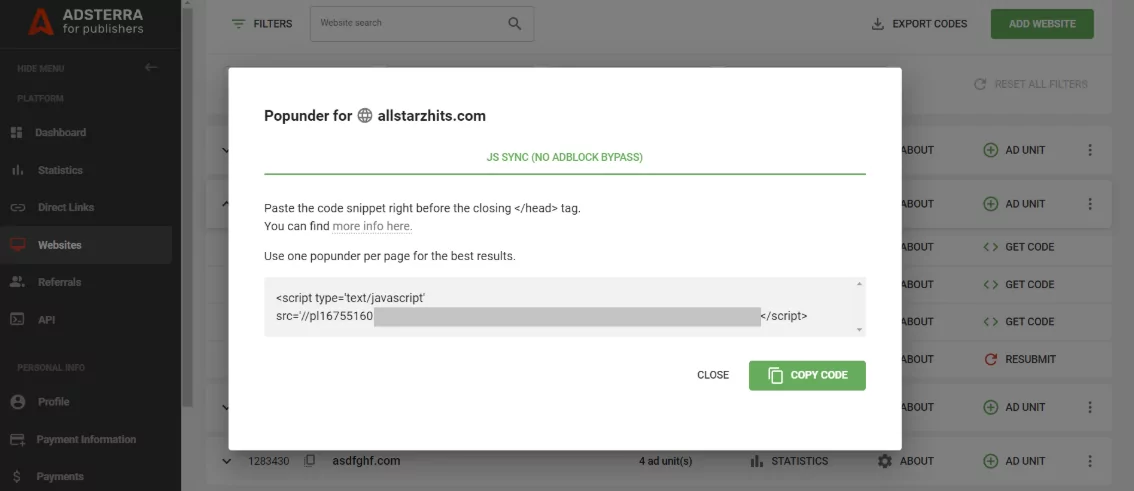
Does WordPress have marketing tools?
WordPress itself is not a marketing platform, but it integrates with plenty of marketing tools through plugins. With the right setup, you can handle:
1. Advertising and monetization
2. Search engine optimization (SEO)
3. Email marketing and newsletters
4. Analytics and performance tracking
5. Social media sharing and automation